
To order custom stickers, start with the size, shape, quantity, and artwork. Our online sticker builder shows the current price for those choices before you check out.
Imprint’s online sticker orders start at 100 pieces, with quantity options up to 5,000. The builder offers full-color vinyl in die-cut, circle, rounded, and square shapes. At the same size and quantity, those shape choices have the same price.
Choose a size for where the sticker will go
A design that looks good full-screen can be hard to read as a small sticker. Start with the space available on the item or the size you want to hand out, then check the artwork at that size.
Try cutting a piece of paper to the dimensions you are considering. Hold it where the sticker will go and look at it from a normal viewing distance. Check the logo, small text, and the space around the design.
A long wordmark and a round graphic use the same dimensions differently. Give the artwork enough room rather than shrinking every detail just to fit a familiar size. For a size not listed in the builder, contact us before placing the order.
Match the shape to the artwork
A circle or square gives the design a regular outline. Die-cut follows the shape of the graphic. Choose the version that makes the design easy to recognize and leaves small details readable.
For die-cut stickers, we add a clean white border in production. Keep that edge in mind when you check the design. A transparent image background does not mean you are ordering clear sticker material; ask us first if you need something outside the builder’s listed product.
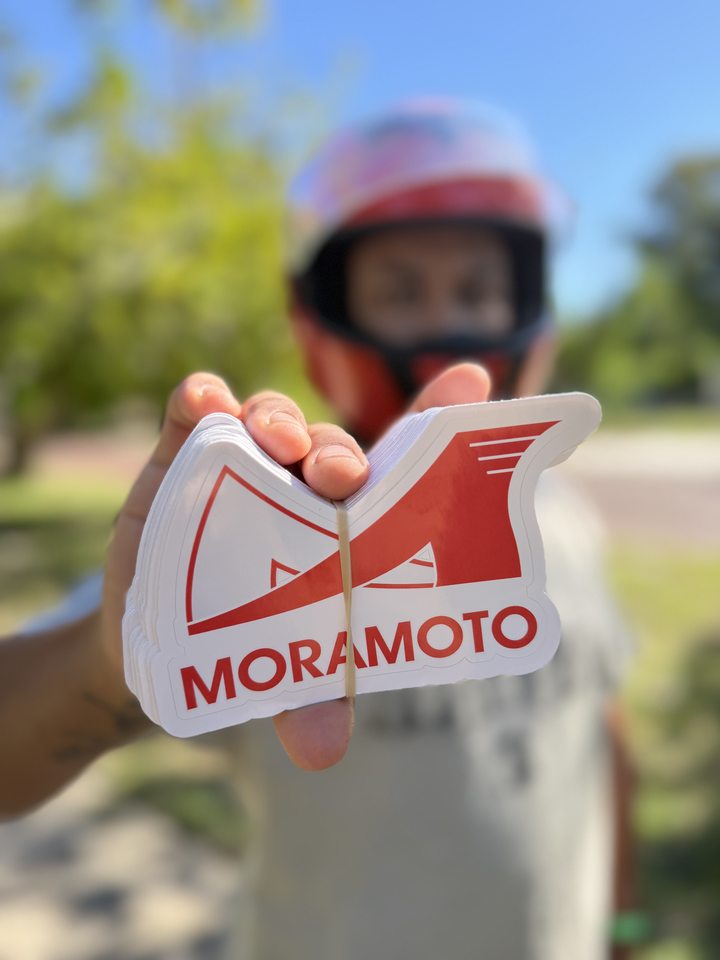
Red and white Moramoto stickers with a shaped outline and white edge.
Upload the artwork you want printed
A transparent PNG works best in our builder. Use the original exported artwork when you have it, rather than a screenshot of the logo from a message or social profile. Upload the file, then drag and resize it in the preview.
Before paying, check:
Spelling and contact details: look closely at every word, website, and social handle.
Background: make sure an unwanted rectangle or background pattern is not part of the image.
Position and size: confirm how the artwork sits inside the selected shape.
Small details: check that fine text and lines still make sense at the finished size.
The uploaded design is what we print, so use the preview to check the layout carefully. If the artwork is not ready, the builder also lets you check out without a file. We flag that order for art setup and contact you before printing. Tell us what still needs to be worked out.
Choose a quantity you have a use for
Think about the plan for the stickers: handouts at a market, a merch table, or an addition to customer orders. Estimate how many you can use for that purpose, then compare the builder’s complete order totals.
A larger quantity can lower the unit price while raising the amount you spend overall. Check both numbers. If you want different designs or a quantity outside the listed options, ask us how to place that request before paying.
Plan around the ship date
Standard sticker orders ship in 10–14 business days. Shipping time and the date you need the stickers in hand are separate parts of the plan.
For an event or launch, contact us with your in-hand deadline before ordering. Rush availability, a completion date, and any rush fee need to be confirmed for the job.
Ready to build the order?
Open the sticker builder, choose your dimensions, shape, and quantity, and check the artwork and total before checkout. If you are ordering printed apparel too, keep the items and quantities clear. Shirts and stickers have different minimums and ordering details.
Have something in mind?
Tell us what you’re making. We’ll help work out the garments, artwork, and next step.